
Canvas is Back Online

Canvas is back online this morning, and as students begin logging back in, we wanted to share a few important reminders to help make the transition as smooth as possible.
- Please clear your browser cache and cookies before logging in.
Instructions can be found here. - Please use the following login page: login.k12.com
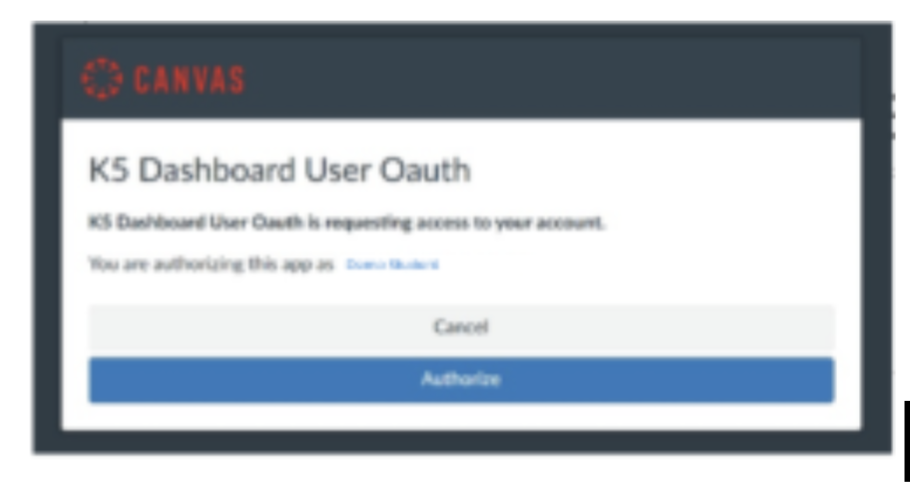
- Students may be prompted to click “Authorize.”
This is expected behavior and allows dashboards and connected tools to properly display Canvas information. Students may be prompted to click “Authorize” more than once while navigating through areas such as the K5 Dashboard, Launch Pad, or Studio.
As systems continue stabilizing, you may also notice:
- Some links or tools may not work immediately.
- Grades may take time to fully sync and update.
- Certain connected applications may still be restoring functionality.
Please know that teams continue working to restore all services as quickly and safely as possible.
If you need support or have questions, Customer Care support rooms remain available for families:
Family Support Zoom Room
- Monday–Friday | 7:00 AM–4:00 PM EST | https://k12.zoom.us/j/97739092933
Thank you again for your patience, flexibility, and partnership throughout this past week as systems continue stabilizing.
Back to BlogRelated Blog Posts

Welcome to the ISMI Blog
We are so excited to have you join us as we launch our blog! Insight School […]

The K12 Esports League Is Open for Registration
Answer the call to play in the fall season! Calling all Insight School of Michigan gamers […]